Published
LaTeX Resume Template Test: What an ATS Reads in 5 Templates
We compiled Jake's Resume, Awesome-CV, moderncv, AltaCV and Deedy and parsed each PDF. Icons, soft hyphens, split names and columns broke. glyphtounicode did not.
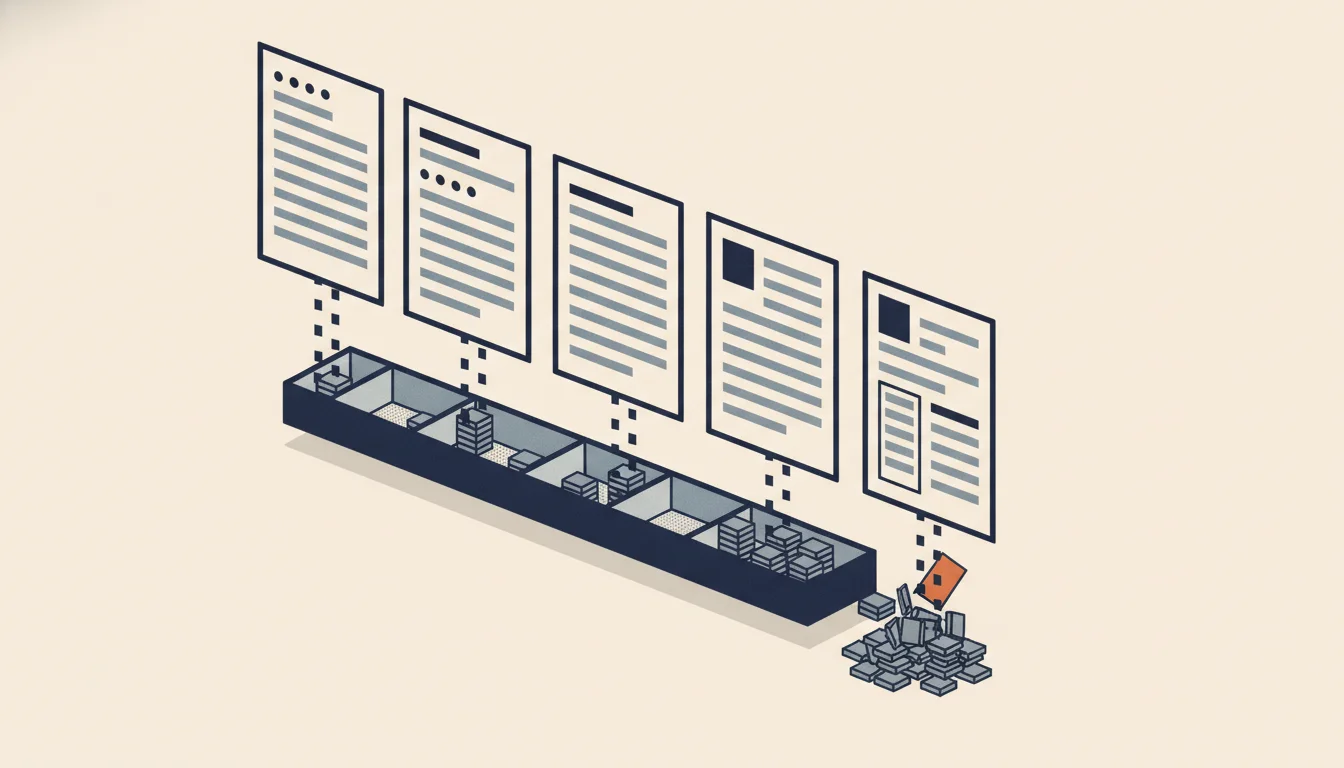
TL;DR: Is a LaTeX resume template ATS-friendly? The plain one-column kind mostly is. We compiled five popular templates as shipped and parsed each PDF. Jake's Resume came out cleanest. The others broke in ways no template gallery mentions: icons before the email, hyphens turned into invisible soft hyphens, names split by font weight, and a sidebar read in the middle of the job history. The famous glyphtounicode lines changed nothing. Copy-paste your own PDF before you send it.
Are LaTeX resume templates ATS-friendly?
LaTeX has a reputation in tech hiring as the serious choice: clean typography, version-controlled source, a PDF that looks the same everywhere. None of that tells you what an applicant tracking system reads. An ATS does not look at your page. It pulls the characters out of the PDF, in some order, and a parser then decides which strings are your name, your employers and your dates.
Text extraction: the step where software reads the characters stored in a PDF, as opposed to the shapes drawn on the page. LaTeX controls the shapes beautifully. What it writes into the text layer depends on the engine, the fonts and the template's macros.
Greenhouse is one ATS vendor that publishes its failure list. Its support article on unsuccessful resume parses names "Resumes that have a columned layout", "Complex resumes with tables, headers, and footers" and "Resumes with the name and contact information in the header, footer, or text box". When a parse fails there, the file is only attached to your profile and a recruiter types your details in by hand, or corrects a partial parse.
LaTeX templates hit several of those causes at once, because the popular ones compete on looks: sidebars, icon rows, two-tone names, page footers. The template galleries that rank for this search (Overleaf, LaTeXTemplates.com, resume sites) show screenshots, and screenshots cannot show a text layer. So we compiled the templates and read the text layer ourselves.
How we tested five LaTeX resume templates
On 13 October 2026 we cloned five widely used templates from their GitHub repositories and compiled each with the engine its own documentation names, in TeX Live 2026 (pdfTeX 1.40.29), adding packages only when a build asked for them:
| Template | Repository state tested | Engine | Layout |
|---|---|---|---|
| Jake's Resume | jakegut/resume, commit of 14 Sep 2020 | pdfLaTeX | one column |
| Awesome-CV | posquit0/Awesome-CV, commit of 14 Sep 2026 | LuaLaTeX (the repo's Makefile) | one column, icon contact row |
| moderncv | moderncv/moderncv, commit of 25 Sep 2026 | pdfLaTeX | dates in a left margin column |
| AltaCV | liantze/AltaCV, commit of 30 Jul 2025 | pdfLaTeX + biber | two columns |
| Deedy Resume (open fonts) | deedy/Deedy-Resume, commit of 2 Dec 2015 | XeLaTeX | two columns |
Each PDF went through two readers. The first was Poppler's pdftotext 24.02, a common open-source extractor. The second was the OpenResume parser, an open-source resume parser built on Mozilla's pdf.js, which groups text into lines and sections and scores candidate strings for name, email, phone, job title, company and date. It is the same harness we used for our resume parser walkthrough.
The sample content is each author's own. Two templates ship placeholders a parser cannot match ("year–year", "Month 20XX", a phone of "000-00-0000"), so for moderncv and AltaCV we also built a copy with real dates, real job titles and a US phone number, layout untouched. The table below uses those copies for those two. Build scripts and the full output are kept with the test data.
Results: what came out of each template
| Template | Text layer (pdftotext) | Name (parser) | Contact (parser) | Work history (parser) |
|---|---|---|---|---|
| Jake's Resume | clean, in reading order | Jake Ryan, correct | email, phone and URL correct | 3 roles merged into 1 with 12 bullets; 2 schools read as 1 |
| Awesome-CV | 46 of 46 hyphens became soft hyphens; page footer lands mid-text | "Byungjin" only; surname glued to the tagline | email prefixed with an envelope glyph; phone missed | 8 of 8 roles found; one company replaced by the footer "Byungjin Park · Résumé", dated with the compile date |
| moderncv (classic style) | address, phones, email and 30+ profile handles print before the name; icons as stray letters ("E", "Ä", "¶") | John Doe, correct | email read as "¶john@doe.org"; country code dropped from phone | job title empty; "Data Analyst, Acme Corp, Columbus, OH" filed as the company |
| AltaCV | columns interleave line by line; icons carry text labels ("email:", "phone:") | correct | email read as "@your_name@email.com"; phone correct | 2 of 2 roles correct: title, company and dates |
| Deedy Resume | sidebar (education, links, coursework, skills) read in the middle of the job history | "Debarghya" only | email correct; phone "607.379.5733" missed | 0 roles, 0 schools |
Two results stand out. The template with the most visual styling, Awesome-CV, damaged words that recruiters search for. And the one-column template with the plainest text, Jake's, still lost structure: a database that receives one job with twelve bullets cannot count your years at each employer. The detail behind each failure tells you what to fix.
Do glyphtounicode and pdfgentounicode still matter?
Jake's Resume carries two lines, \input{glyphtounicode} and \pdfgentounicode=1, under a comment that reads "Ensure that generate pdf is machine readable/ATS parsable". They tell pdfTeX to write a ToUnicode map, the table that turns each glyph back into a letter, so that ligatures like "fi" and "ff" copy as two letters.
We built Jake's three ways: as shipped, with both lines deleted, and with the map switched off entirely (\pdfgentounicode=0). Deleting the lines changed nothing, because LaTeX already does this for you. LaTeX News issue 33, for the June 2021 release, says that when compiling with pdfTeX "additional information (from the file glyphtounicode.tex) is now added automatically to the PDF file in order to improve copying from, and searching in, text." Overleaf's documentation names pdfLaTeX as the default and most frequently used compiler and recommends the most recent TeX Live for new projects, and any TeX Live from 2021 on includes that kernel change.
Even with the map switched off, pdftotext output was byte-identical and the parser's output did not change: both extractors recovered words such as "staff" from Computer Modern's ligature glyphs without the map. The lines are harmless, keep them if you like, but they are not what makes Jake's template parse. Its single column, plain section headings and text-only contact line do that.
The merge of three jobs into one is a different problem. The parser starts a new entry when the vertical gap between lines exceeds 1.4 times the most common gap. Jake's tight spacing put 19 points between roles against a 19.6-point threshold. The parser's fallback looks for "bold" in the font name, and Computer Modern's bold is called CMBX10. Commercial parsers use other rules, but the lesson carries: a template squeezed to fit one page can erase the boundaries between your jobs. A little more space before each role, or a font whose bold face is named as bold, gives a parser two signals instead of none.
Icons, soft hyphens and split names: what broke
Icons in the contact line. moderncv and Awesome-CV set Font Awesome icons in front of each contact detail. In moderncv the icons came out as ordinary letters and symbols, so the parser read the email as "¶john@doe.org". Awesome-CV's envelope came through as a pictograph glued to the address. AltaCV is the instructive exception: its README says the template uses the accsupp package "to add replacement text for the icons", so that the GitHub icon pastes as the text \faGithub, and it suggests running pdftotext -raw to view the text-only version. In the sample's contact block the replacement text is a label ("email:", "phone:"), and pdftotext printed those labels. pdf.js ignored them and read the at-sign glyph, which doubled the "@". Icons without a label leaked their command name: the achievement entries came out as \faTrophy. An icon is a character to every extractor, so the safe contact line is plain text with words such as "Email" or nothing at all.
Soft hyphens in Awesome-CV. All 46 hyphens in the example resume, in our build and in the PDF the authors commit to the repository, extracted as U+00AD. The Unicode chart defines that code point as the soft hyphen, "an invisible format character indicating a possible hyphenation location". Software that strips invisible characters deletes it, and the parser did: "hands-on" became "handson", "cloud-native" became "cloudnative", and each date range lost its separator ("Sep. 2023 Mar. 2024"). A recruiter searching the ATS for "cloud-native" would not match that text. We traced it to the LuaLaTeX build the Makefile runs, with the same result in the authors' own PDF; the README also lists xelatex, which we could not build with the current class.
Names split by font weight. Awesome-CV sets the first name in Roboto Light and the surname in Roboto Bold. Deedy sets them in Lato Hairline and Lato Light. moderncv's contemporary style uses two faces too. In each case the parser kept only the first name, because the two halves arrived as separate text items in different fonts. Set your whole name in one font and weight.
Footers and columns. Awesome-CV prints your name and \today in each page footer. On a page break inside a job, the parser took the footer as that job's company and the compile date as its dates, which is the header-and-footer failure Greenhouse lists. Deedy's two columns did worse: the sidebar landed between the first and second jobs, and pdf.js ran sidebar words together ("AdvancedMachineLearning"). The OpenResume page says plainly that its algorithm is designed for single-column resumes; our two-column resume test found every two-column layout reordered or cut by at least one of three extractors.
Which LaTeX resume template should you use?
Start from a one-column template with text-only contact details and keep its structure simple. In this test that is Jake's Resume, with three small edits:
- Add space before each role.
\resumeSubheadingopens with\vspace{-2pt}. Changing it to4ptadds 6 points before every role, which would lift the 19-point gap well clear of the 19.6-point threshold above. We did not rebuild to confirm this edit, so check the result the way the last paragraph of this section describes. - Keep the contact line as text. If you add icons from another template, add the words too, or drop the icons.
- Put the full name in one font command. No two-tone names.
If you prefer Awesome-CV's look, remove the footer (\makecvfooter) and paste your PDF's text into an editor that shows invisible characters before you send it. moderncv and AltaCV need the icon rows trimmed to the two or three links a recruiter uses. Deedy's two-column layout is the one to avoid for applications that go through an ATS. Fonts matter less than people expect; our font extraction test found the risks in letter spacing and icon fonts, not in the typeface.
Then check the exact file you will upload. Open it, select all, paste into a plain-text editor, and read it top to bottom: name first, every job with its own dates, no stray symbols before the email, hyphenated skills still hyphenated. For a parser's view, the free ATS checker extracts your PDF the way an applicant tracking system does and shows you what it read.
Method and limits
We tested each template's own sample content, compiled from the repository rather than Overleaf's gallery copies, which can lag behind (the Jake's Resume README calls its Overleaf version "Not updated"). We used two open-source extractors and one open-source parser. Workday, Greenhouse, iCIMS and the parsing vendors they license use their own code, which we could not run; a commercial parser may cope with a merged entry or a soft hyphen that OpenResume did not. What we report is what reached the parsing step, and the text layer is what a parser starts from unless it falls back on OCR.
We did not test every template variant. moderncv offers several styles, and AltaCV and Deedy ship alternative font builds. We did not test XeLaTeX builds of Awesome-CV or MacFonts builds of Deedy. The two templates we edited had only placeholder text replaced. All builds used TeX Live 2026; an older TeX Live 2020 or earlier install without the 2021 kernel change would rely on the glyphtounicode lines Jake's includes.
Is Jake's Resume ATS-friendly?+
It had the cleanest text layer of the five templates we tested: name, email, phone and URL all parsed, in reading order. The open-source parser we used merged its three jobs into one because the template's spacing between roles is tight, so add a few points of space before each role.
Do I need glyphtounicode in my LaTeX resume?+
Not on a current install. Since the LaTeX release of June 2021, pdfLaTeX adds the glyphtounicode mapping automatically. In our test, deleting the two lines from Jake's Resume produced identical extracted text.
Is an Overleaf resume ATS-friendly?+
Overleaf compiles your template; it does not change what the template writes into the PDF. Whether the result parses depends on the layout: one column, text-only contact details and a single-font name parsed best in our test.
Should I send a LaTeX resume as PDF?+
Yes. pdfLaTeX, XeLaTeX and LuaLaTeX all produce a PDF, and that file is what the ATS reads. Check it by copying all its text into a plain-text editor before you upload it.
Key takeaways
- A LaTeX template's looks say nothing about its text layer. Of five popular templates compiled as shipped, only one-column, text-only Jake's Resume came through without damaged contact details or names.
- The
glyphtounicodelines are not the ATS fix the template comment suggests: LaTeX has added that mapping automatically since June 2021, and removing them changed nothing in our extraction. - Icons, two-font names and page footers caused most of the damage. Each one is a small edit in the template source.
- Awesome-CV's example resume extracted every hyphen as an invisible soft hyphen, so "cloud-native" became "cloudnative" after parsing. Search your own pasted text for hyphenated skills.
- Tight vertical spacing can merge separate jobs into one entry. A few extra points before each role gives a parser a clear boundary.